Use security cooldown to keep users from making security mistakes

Users are good at skipping things they’ve seen before. Security warnings are no different. Users often scan the screen, find the primary button, and move on without reading the text.
But sometimes the information is the most important part of the flow. It might explain how to recover an account, warn about a common scam, or tell users that an action can’t be undone. In these moments, simply showing the information isn’t enough.
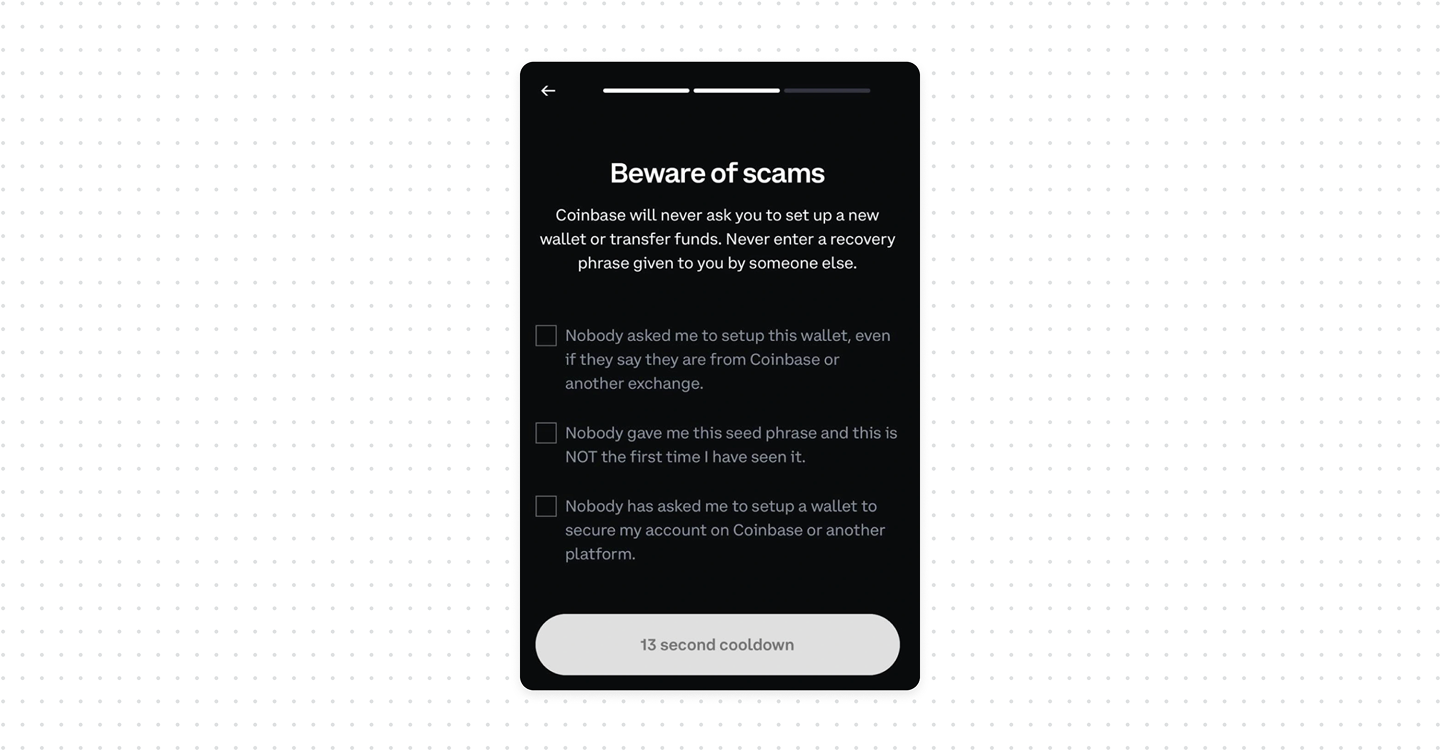
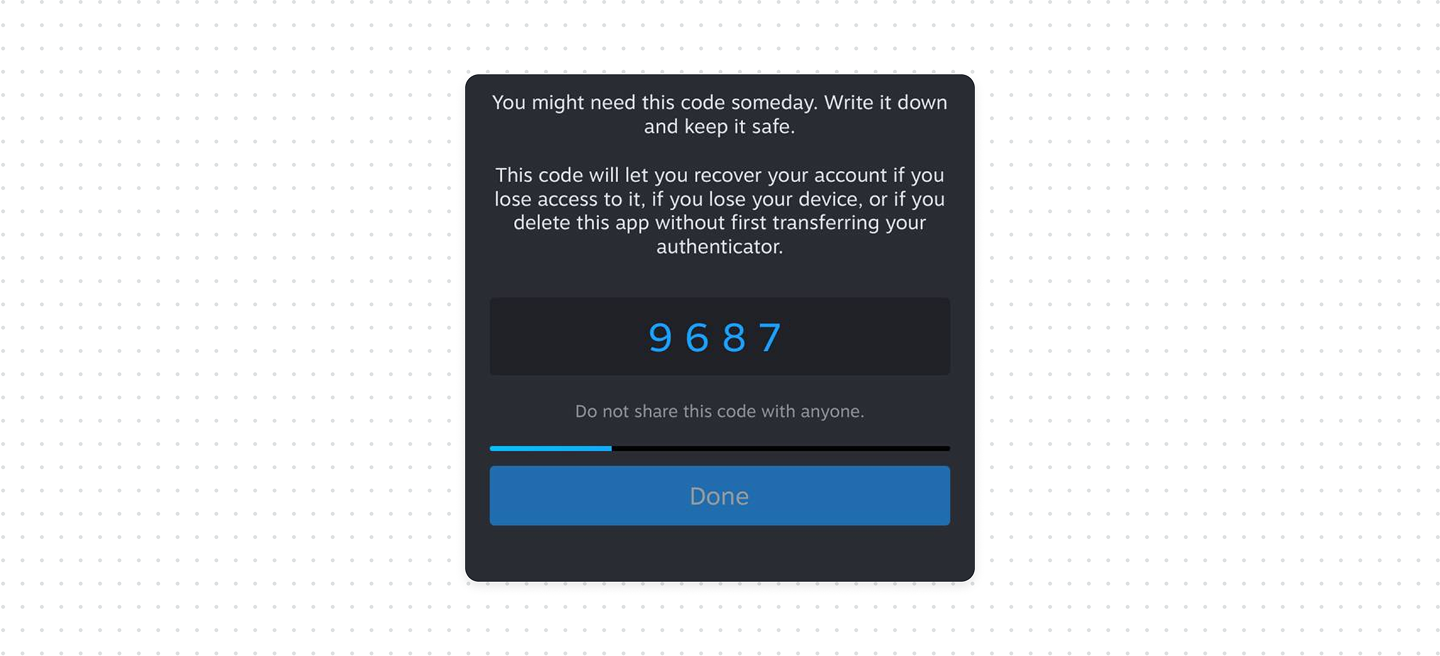
To resolve this, we should use a security cooldown that temporarily disables the primary action and displays a short countdown before the user can continue.
What good UX looks like
- Not every product needs a security cooldown. Use it only when users are making security-critical decisions where skipping important information could lead to serious consequences.
- Make the countdown visible. Show how many seconds are left and when the button will become available.
- Keep the pause short. The goal is to give users enough time to notice and read the warning, not to frustrate them.
Bottom line
For critical security information, provide users with a brief cooldown period to stop and read before they can proceed. Always display a timer or progress indicator to show the remaining time.
A security cooldown adds a deliberate delay between presenting a security-critical decision and executing it. This is useful against accidental approval and some social-engineering attacks, where users are pushed to act quickly without reviewing what they are confirming.
For most sensitive operations, the cooldown should be combined with step-up authentication (check our article on this topic).