The password rule 9 out of 10 apps forget

Password requirements usually consist of uppercase, lowercase, numbers, special characters. But there's one rule that designers keep forgetting, and it's costing products security in ways that are surprisingly easy to prevent.
The rule is simple: your password should not contain your email address or rely on commonly used passwords.
I’ve audited many products, and in at least 9 out of 10 of them, this rule was completely missing. Products don’t validate passwords for containing emails or common passwords like “Password123!”, “Qwerty2026!”, or slight variations of known leaked passwords. Attackers prioritize these combinations first because they repeatedly appear in credential leaks and automated attack dictionaries.
The problem with such passwords
When a user creates a password using information from their email, they're essentially locking their account with a key made from their public identity.
- Email: john.smith98@company.com
- Password: John.smith98@company.com
It has uppercase, lowercase, numbers, and special characters. But here's what an attacker sees: a password that combines information they already know, sometimes with with some additional characters.
The same problem applies to commonly used passwords and predictable patterns:
- Password: Password123!
- Password: Welcome2024!
- Password: Qwerty123!
These passwords technically satisfy all complexity requirements, but attackers specifically optimize for them because they appear repeatedly in leaked credential datasets and automated password dictionaries.
What good UX looks like
Show the full list of requirements, use live validation, and explicitly include rules against using email addresses (or personal information) and commonly used passwords. These checks should happen in real time, before form submission, so users understand exactly why a password is considered weak.
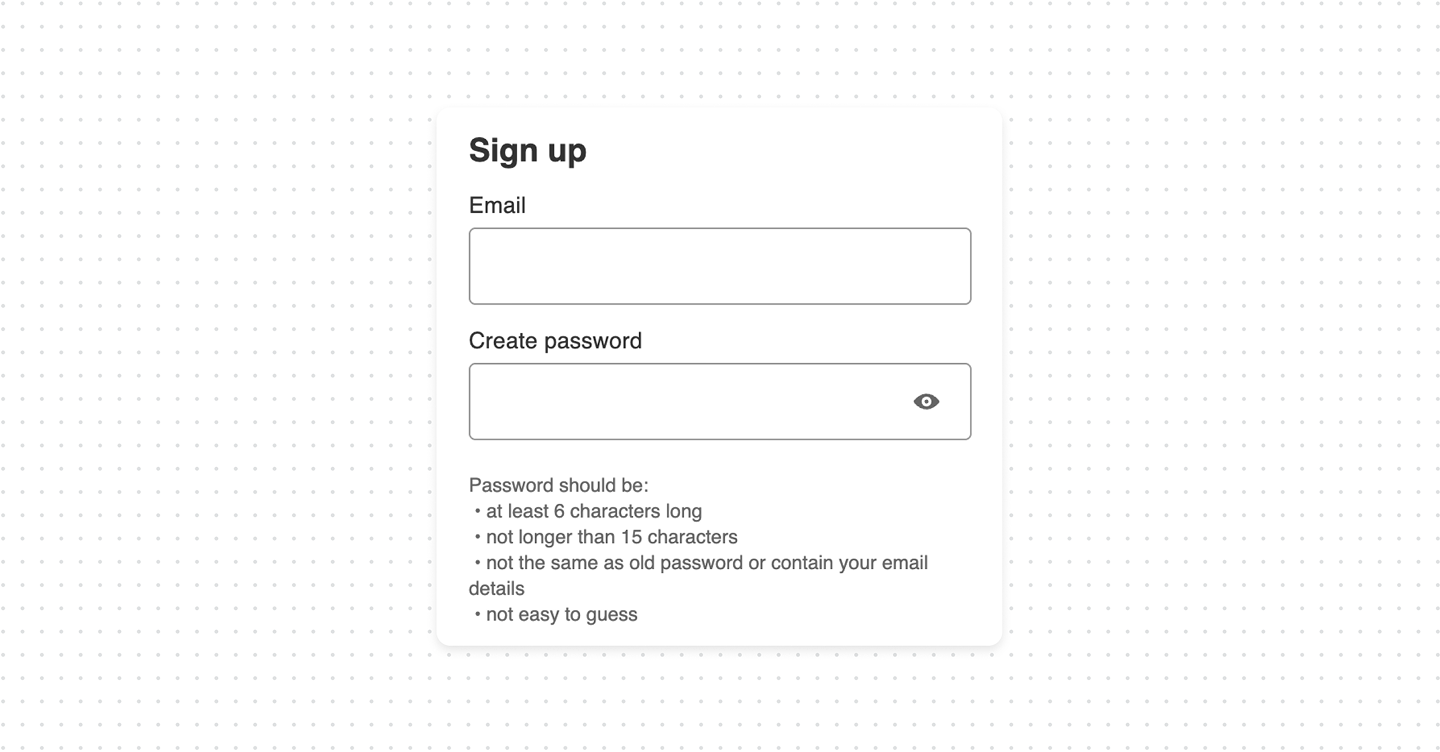
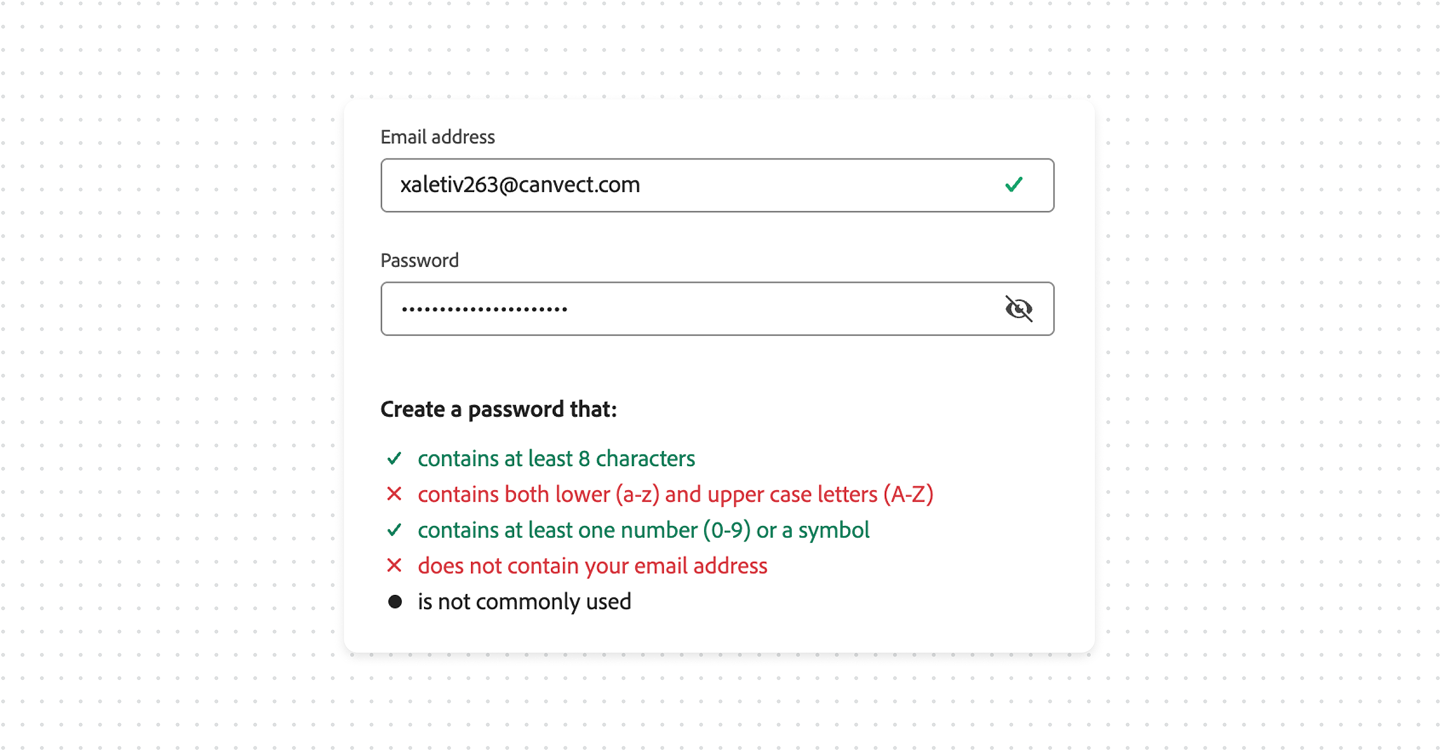
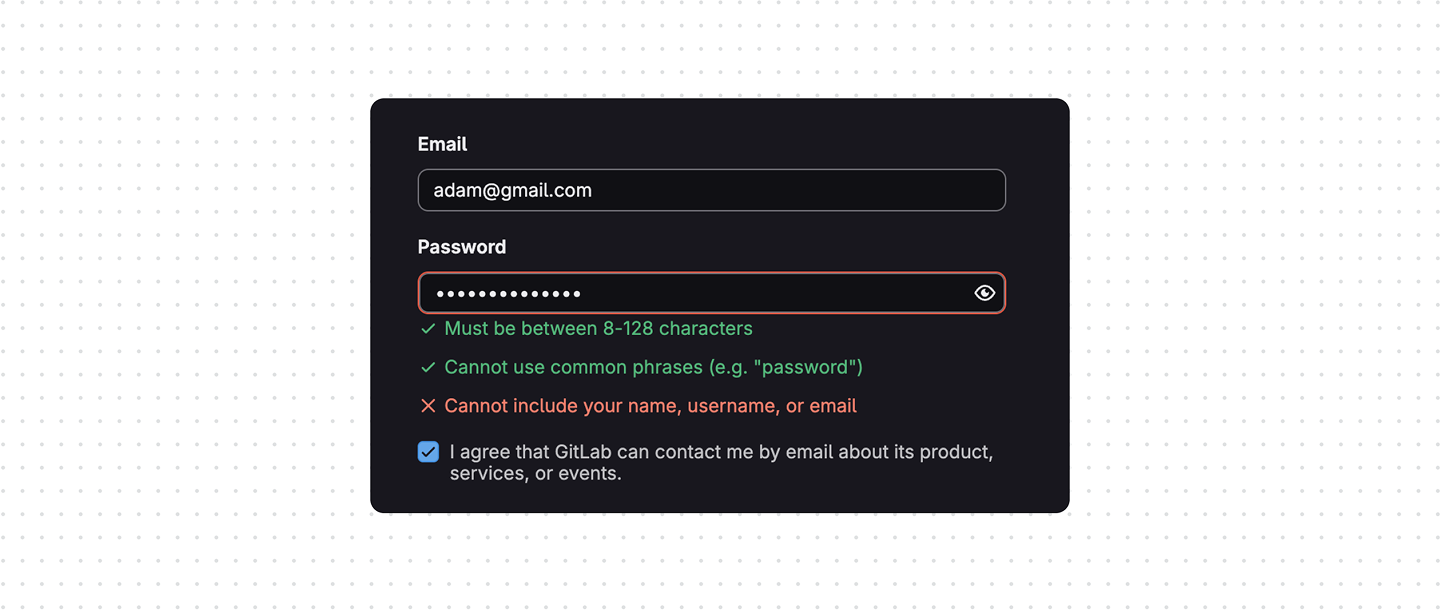

To further enhance system security, additional possible validation rule is to disallow three or more consecutive identical characters, such as “AAApple” or “12333”.
In addition, a reminder can be included as a recommendation, encouraging users not to reuse passwords that they already use in other systems.
Bottom line
Complexity password rules alone do not make products secure if the password is still predictable to attackers. Preventing personal-data-based and commonly used passwords is one of the highest-impact improvements most signup flows still miss.
Real-world example: A 2022 study of compromised passwords found that approximately 30% of passwords contained personal information that was easily discoverable. Passwords that avoided personal data had significantly lower compromise rates across the same datasets.
This problem becomes even worse when users combine personal information with common password patterns. According to analyses of breached credential datasets, the most frequently reused passwords still include predictable variations of “123456”, “password”, names, keyboard patterns, and seasonal combinations. Studies from Verizon’s Data Breach Investigations Report and NordPass password research consistently show that weak or reused passwords remain one of the most common factors in account compromise.